Möbius
A personalized AI agent you self-host, which builds the tools you need and the interface they sit in
A Möbius strip is a surface with no inside or outside and no beginning or end. That is the idea behind Möbius, a self-improving personal AI agent you self-host that loops back on itself, with the agent, the server it runs on, and the apps it builds working as one system to be as useful to you as it can. Ask for a tool and the coding agent builds it as a small app right next to the chat (a news aggregator, a habit tracker, a 3D ISS viewer), no page reload. Each app can store data, run on a schedule, fetch from the web, and use AI on its own, and the same agent can rewrite the interface those apps sit in, from theme and layout to the controls around them.
It runs in a single Docker container, comes with a starter app store, installs to your phone like a native app, and keeps your data on a server you control. Fully recursive self-improvement is not here yet, a person stays in the loop. What works today is the agent and you improving it together, with the Memory and Reflection loop giving it a memory to build from, though the deeper self-audit pieces are still shallow.
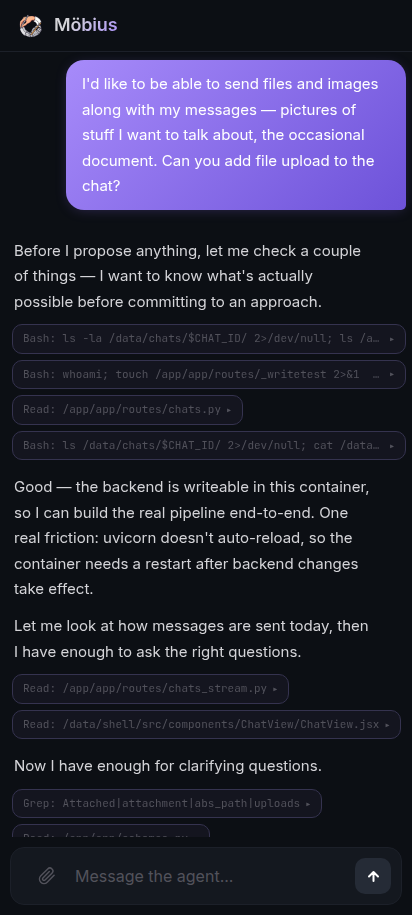 ask for file upload
 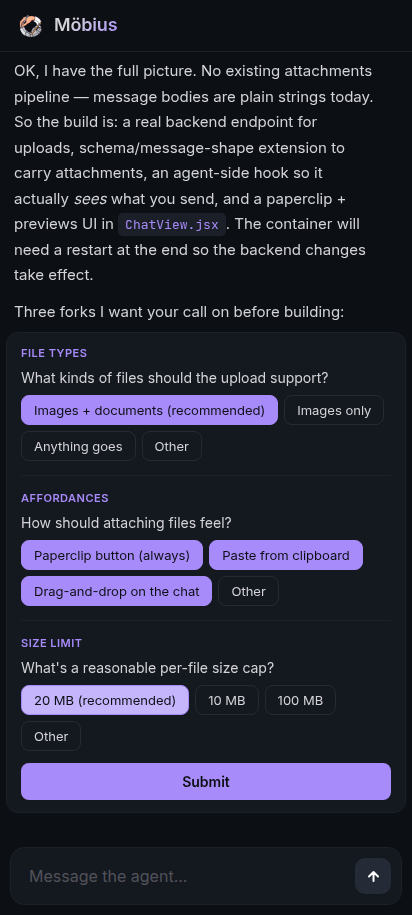 answer a few questions
 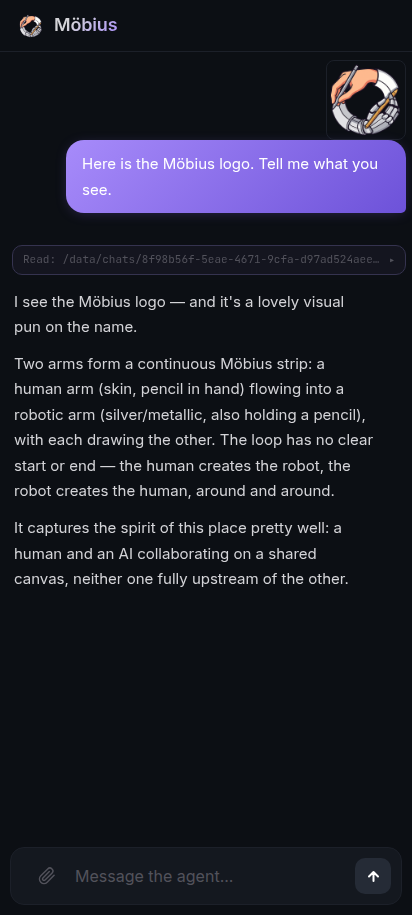 file upload, working
 You grow it from a chat. Ask for file upload and the agent writes the endpoint, the schema, and the UI, all in one conversation.
What you can do with it
- Build apps from the chat. Describe what you want; the agent writes the code, mounts it, and you use it next to the conversation.
- Install from an app store. A starter pack of apps you install by pasting a URL, update with a tap, and tweak by asking, all of it yours to keep.
- Use them anywhere. Save an app to your home screen and run it standalone; it keeps working offline and syncs when you reconnect.
- Reshape the shell. Themes, layout, navigation model, fonts, all editable by asking.
- Pick your provider. Claude Code or Codex for the coding agent, Gemini for image generation. Toggle in settings.
- Recover from anything. A
/recoverroute resets the shell while keeping your chats, apps, and data.
The story behind it
More on the design ideas and the self-improvement loop behind Möbius in these companion posts:
- An agent that adapts to you: what Möbius is, and why an editable shell matters.
- The self-improvement harness behind it: how an outer agent makes the inner one progressively better at building.
- An app store that adapts to you: the app store, updates and recovery, offline apps, and the cross-app system the agent grows around you.
- Your agent improves itself, while you sleep: the Memory and the nightly Reflection loop, how the agent gets better for you over time.